

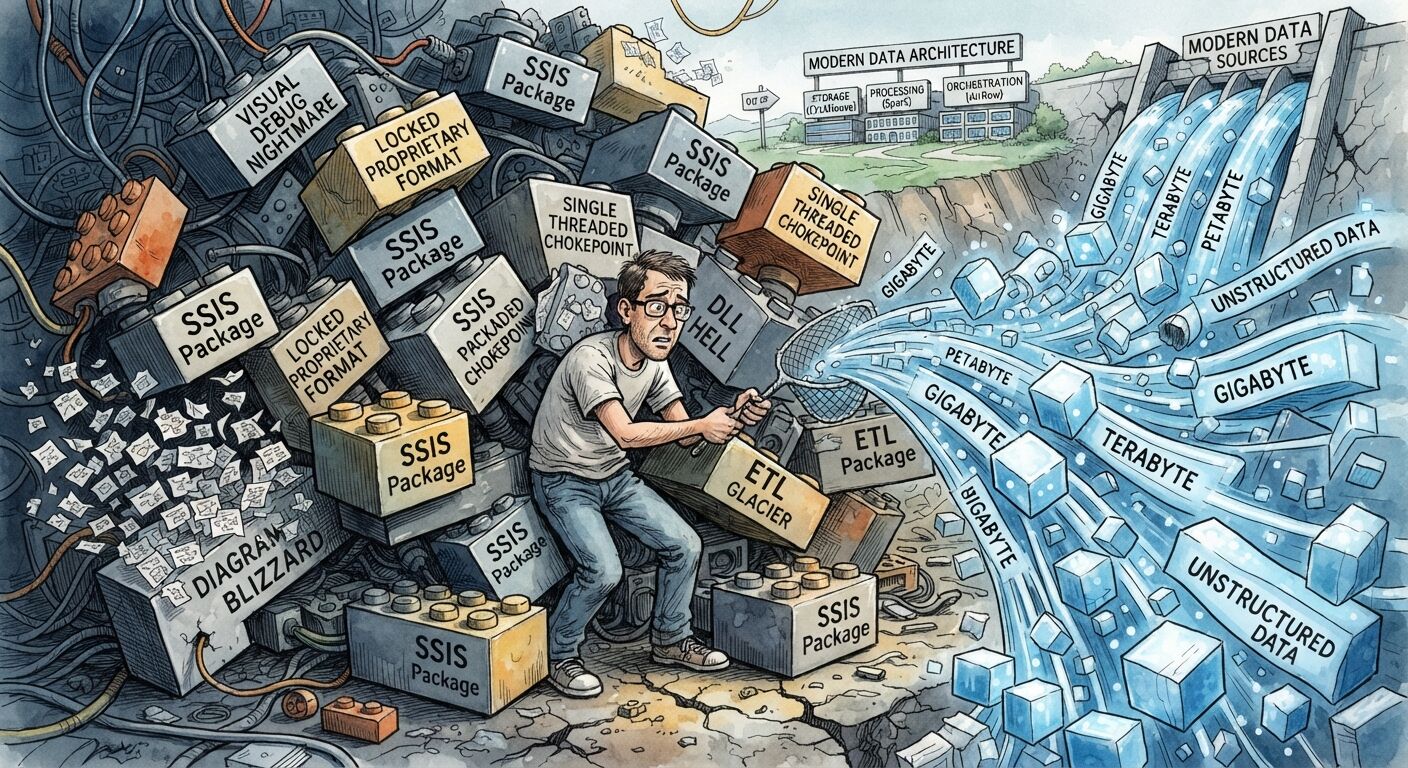
Let me start with a confession: I don’t think SSIS and SQL Server are bad tools. I’ve seen them run serious businesses for years, and plenty of smart people built great things with them. So this is not a “burn it all down” post.
What I want to talk about is something quieter. There’s a moment when a data platform stops being a bunch of jobs and starts being a real system. The tools that got you to that moment are often not the tools that carry you further. If your data keeps growing, it’s worth knowing what that moment looks like before you hit it.
The one-big-box problem
The classic Microsoft data stack has a very comfortable shape. One big server. SQL Server stores the data, SSIS moves it around and reshapes it, and a scheduler runs it all at night. One machine, one team, one place to look when something breaks. For a long time that’s a feature, not a bug.
The trouble starts when the data grows. This stack really only knows one direction: up. A bigger server, more memory, faster disks, more licences. Scaling up works until it doesn’t, and it gets painfully expensive way before that.
And because everything shares the same box, everything fights over it. A heavy load slows down the reports. A heavy report slows down the load. You slowly end up planning your business around the mood of one machine.
Pipelines you can’t read
Visual tools are wonderful on day one. Anyone can open a diagram and roughly understand it. At scale, that flips.
A pipeline drawn in a designer is hard to review, hard to test, hard to version and hard to change safely. Nobody can read a pull request of a diagram. When several people touch the same pipeline, nobody is fully sure what changed. So changes become scary, and scary changes get done slowly, carefully, and usually at night.
Software engineers learned this lesson a long time ago: anything important should be code, living in a repository, with reviews and tests. Data pipelines deserve exactly the same respect. They’re not side projects. They’re products that other people depend on.
Three jobs, three pieces
Here’s the mindset shift I care about most. A data platform does three very different jobs:
- Storing data and answering questions about it. That’s the database.
- Moving and reshaping data. That’s the processing.
- Deciding what runs when, and what happens when something fails. That’s the orchestration.
In the old stack, these three jobs get blended into one box and one family of tools. In a modern design, you pull them apart on purpose. Each piece does one job, scales on its own, and can be replaced without rebuilding the other two.
That isn’t a trendy idea. It’s just good architecture. My favourite test for any design is simple: how cheaply can I change my mind later? A system made of separate pieces can change one piece at a time. A system in one big box can only change all at once, and that’s the one that never gets changed.
Why ClickHouse feels made for big data
SQL Server is a transactional database. It’s built for lots of small reads and writes from lots of users, where records keep changing: orders, customers, payments. It’s brilliant at that.
Big data usually looks completely different. Data mostly arrives and then never changes. The questions scan a huge amount of it, but only care about a few columns, like “what were the totals per hour?” ClickHouse is built for exactly that world.
Think of it like this. A normal database stores data row by row, like a stack of index cards. ClickHouse stores it column by column, like separate lists. If your question only needs two lists, it only reads two lists. It doesn’t touch the rest. That one idea explains most of the speed.
The other things you get follow naturally:
- Compression is very good, because values in the same column look alike. The same data often takes a fraction of the space.
- Time-based splitting is built in, so old data can be dropped or archived cheaply. “Keep the last 90 days” becomes a setting, not a maintenance project.
- Scaling out is part of the design. More cores, more machines, same idea.
But here’s the part that changes how you design things. When scanning is fast and cheap, you stop pre-cooking everything. In the old world, we built huge nightly jobs to pre-calculate every summary, because the database couldn’t take the heat at query time. With a database like this, you can keep the detailed data and ask your questions directly. Fewer steps, fewer jobs, fewer things to break.
Why Airflow makes life easier
Airflow is the “who does what, and when” piece. And the best way to understand it is this: Airflow doesn’t do the heavy work itself. It’s the conductor, not the orchestra.
You describe your pipeline as a map of small tasks and how they depend on each other. That sounds boring, but it gives you things that are painful to build yourself:
- Failure is normal, and handled. A step fails, it retries. Still failing, it tells you. The rest of the pipeline doesn’t collapse.
- You can see everything. Every run, every step, how long it took, where it broke, all on one screen. No more digging through logs on a server to find out what happened last night.
- Re-running history is easy. Found a problem from last Tuesday? Re-run that one window. No hero moves needed.
- Parallel by design. Instead of one giant job doing everything in a line, you split the work into many small tasks that run side by side.
- It’s all code. Reviewed, versioned, tested, just like the rest of your software.
And because Airflow only conducts, it doesn’t care what the actual work runs on. Today it might be a small program, tomorrow something else. You’re never locked into one tool, and that freedom is worth a lot more than any single feature.
The heavy lifting goes where it belongs
One more design idea. When the volume is large, the actual data crunching shouldn’t live inside a visual tool. It belongs in small, focused programs built to do one thing and do it fast, written in languages made for that kind of work. They’re easy to test, easy to run on any machine, and easy to scale by just running more of them. Airflow tells them when to run. The database stores the result. Each piece stays simple.
What it costs (the honest part)
None of this is free, and I’d be lying if I said otherwise.
- It’s a different skill set. Linux, code, version control. Your team needs time and support to learn.
- Analytical databases aren’t for everything. They love data that arrives and stays. They’re not great at lots of small updates, so you need to think carefully about how data changes before you design.
- More moving parts. Three pieces instead of one box. Each one is simpler, but you do have to run them well.
- Migration is real work and real risk. You’re changing the engine while the car is moving.
And to be fair to the old stack: if your data is modest, your changes are slow, and your team lives happily in the Microsoft world, SSIS and SQL Server may be exactly right. Don’t migrate because of fashion. Migrate because the system’s shape no longer fits the problem.
If you decide to move
- Start with the most painful pipeline, not the easiest. It proves the value and teaches you the most.
- Run old and new side by side and compare the numbers until the comparison gets boring.
- Keep your business definitions in readable, versioned form, reviewed like any other code.
- Make every run safe to repeat. A retry or a re-run should never create duplicates.
- Treat pipelines like products, with owners, tests and documentation.
- Measure fairly. Tune the old system properly before you compare. An honest benchmark beats a dramatic one.
The real change is the question you ask
In the old world, the question is usually “which tool should I use for this job?” In the new world, it becomes “what shape should this system have so it can keep growing without a rewrite?”
That’s the mindset I’d love you to take away. Separate the jobs. Treat pipelines as code. Pick your storage for the questions you actually ask, not the ones you asked ten years ago.
Tools will keep changing. Good design lasts a lot longer. In the next post, I’ll walk through a modern pipeline step by step, with synthetic data you can run yourself. Meanwhile, if you’re running a startup and think you need Airflow, read this post first.